Operating evidence
Study operating parameters such as pressure, temperature and electrical current to identify significant changes and follow component behaviour over time.
Operating records, fault messages and component history brought together in one documented engineering review.
The software reviews SAR/XSAR flight data, AIRMAN fault messages and maintenance history together. Engineers can examine recurring faults, check the supporting evidence and prepare a technical report that also explains where information is missing or uncertain.
By comparing operating data, AIRMAN messages and past maintenance work, the tool helps engineers assess system condition, identify repeated problems and follow the history of component replacements. The results can also help teams discuss future maintenance needs and spare-parts planning.
Study operating parameters such as pressure, temperature and electrical current to identify significant changes and follow component behaviour over time.
Compare AIRMAN fault messages with operating measurements to understand when an issue appeared and what was happening at that time.
Review maintenance actions, component removals and installations, including part numbers (P/N), serial numbers (S/N) and links to the original records.
Aircraft rankings, Pareto charts by part number and monthly removal trends help identify where recorded component removals are concentrated. These results can support stock reviews, replenishment plans and further engineering investigations.
Historical removal figures can support planning, but spare-parts decisions must also consider aircraft use, stock availability, repair time and delivery lead times.
Explore the dashboard, aircraft workspace, maintenance database and automatically generated report. Aircraft and airline identities are anonymised. Fleet statuses are edited demonstration values; report pages are historical examples, not current operational assessments.
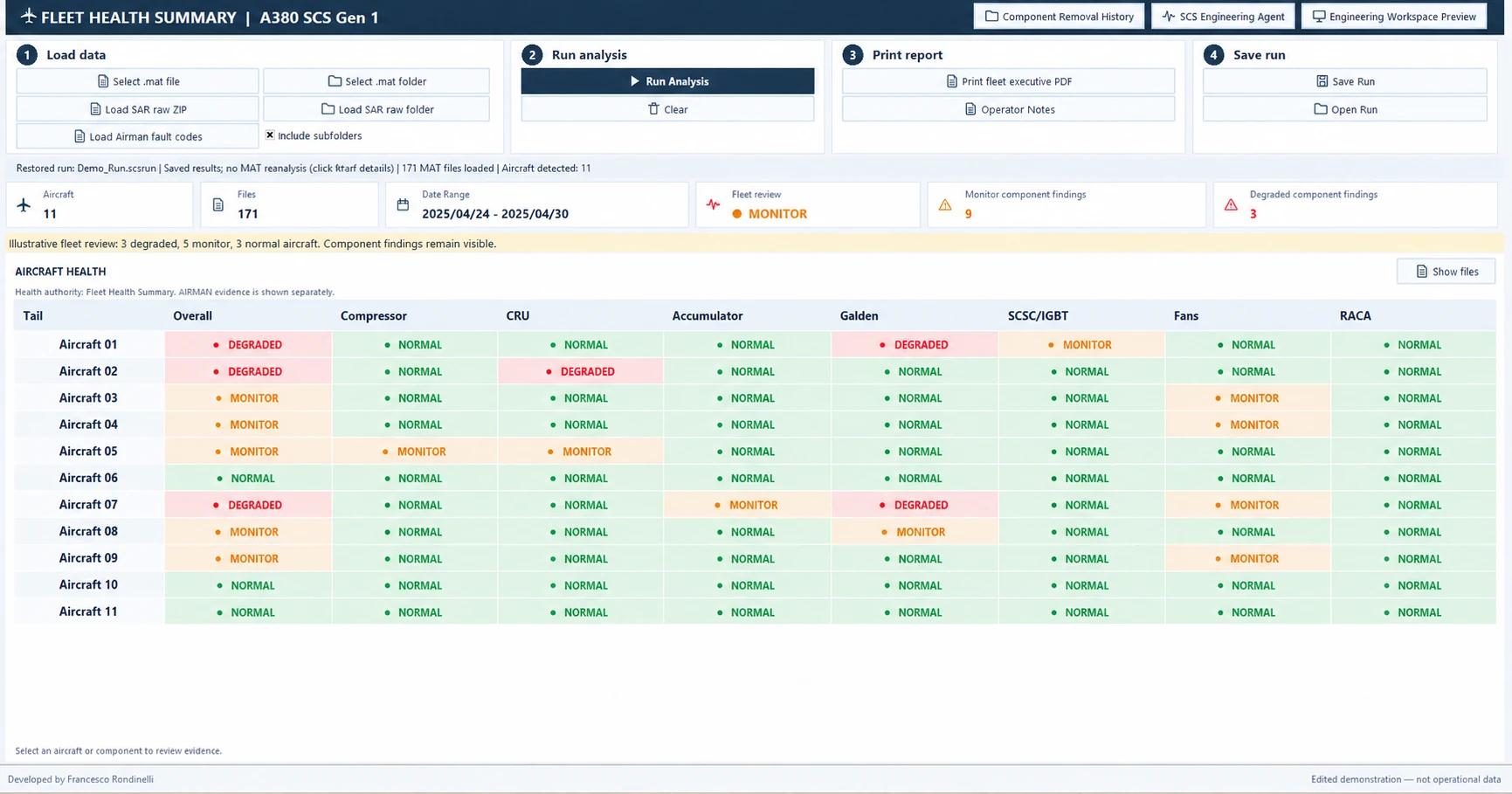
Illustrative fleet: 3 degraded, 5 monitor and 3 normal aircraft. Fleet review is MONITOR; the review label is separate from component severity. Degraded findings remain visible.
Start with the overall fleet picture, then review individual components and compare removals by aircraft, part number or selected period.
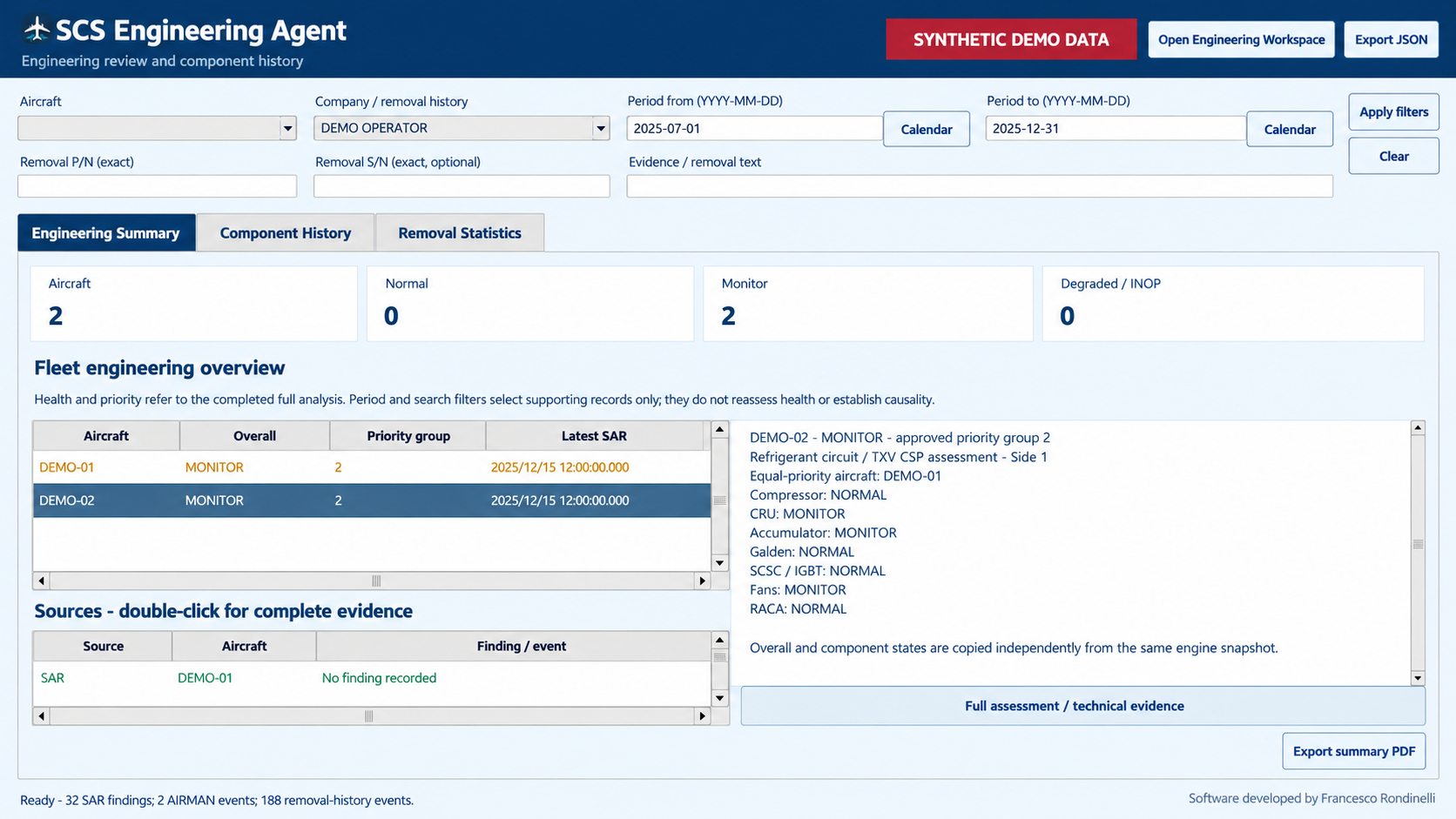
Review the aircraft and component states already produced by the analysis. Open the relevant sources without silently reassessing the recordings. This synthetic snapshot contains two assessed aircraft.
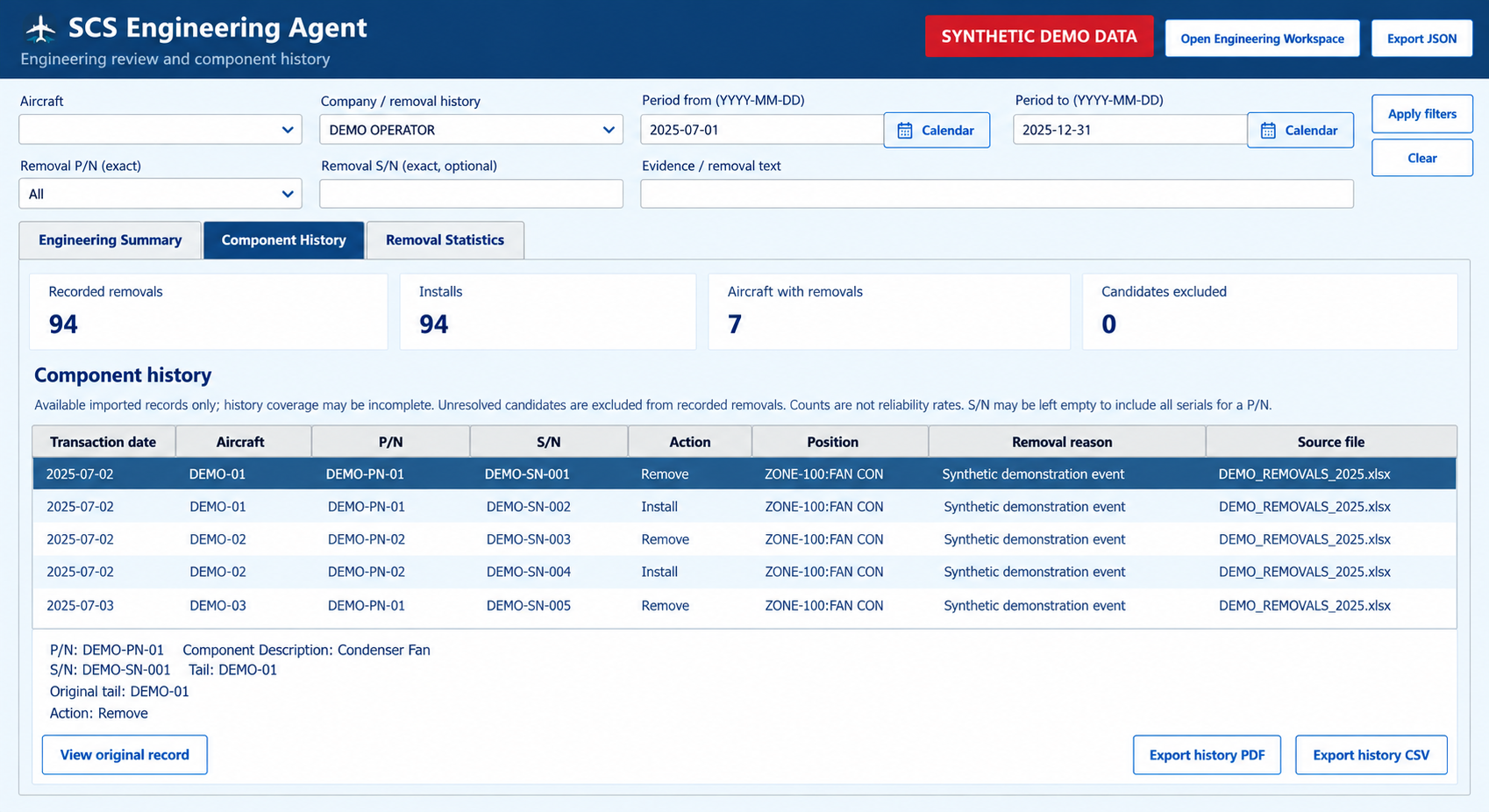
Select a P/N from the database, enter an exact S/N or narrow the period. Read the original event and its source references together.
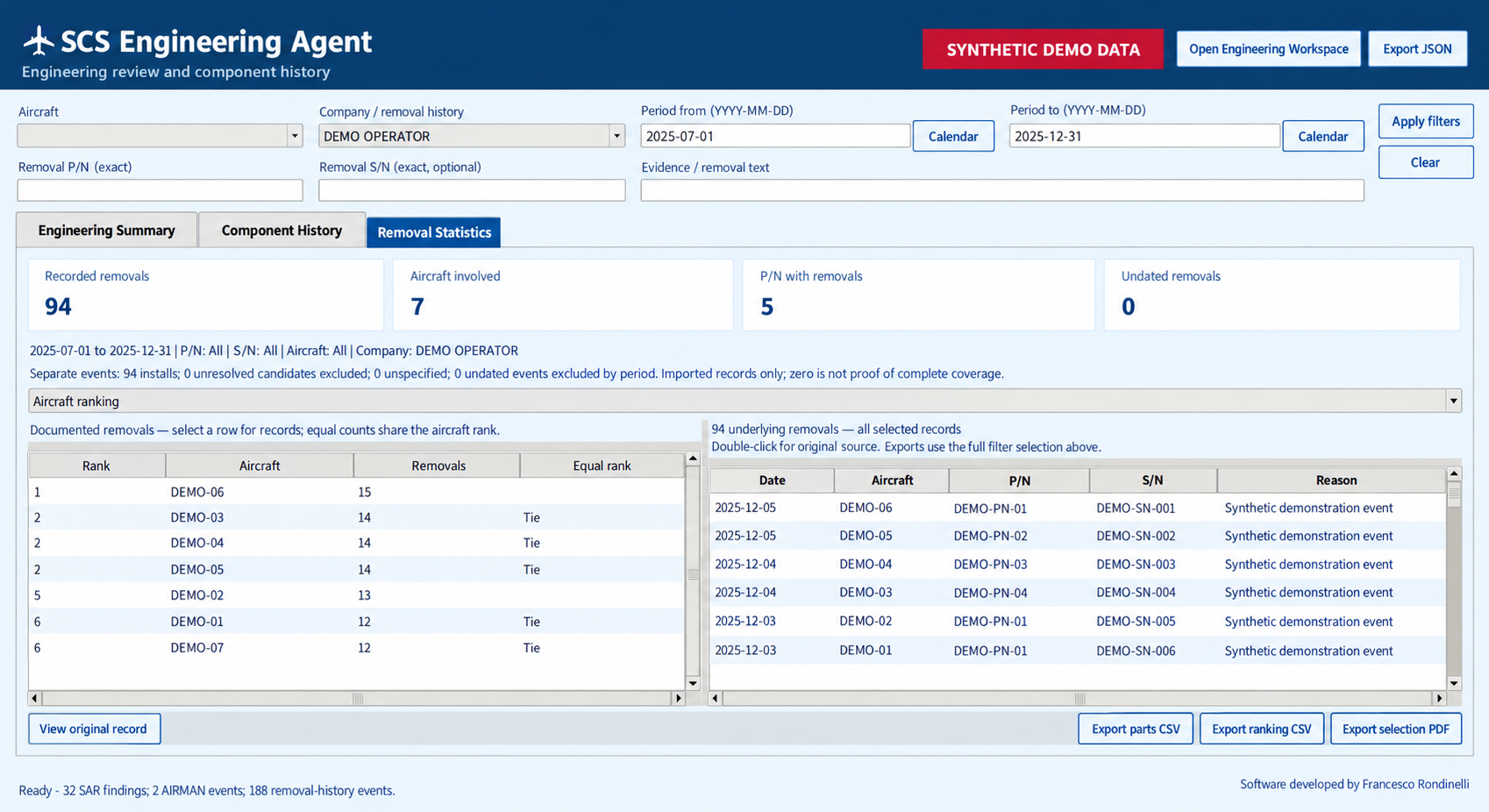
Compare aircraft rankings, P/N distributions and monthly activity. A collapsible chart below the tables can open in a larger view.
A removal count becomes more useful when the engineer can inspect the events behind it.
The maintenance database retains removal and installation events separately. Imported history may be incomplete, and an event in the same period does not establish a causal relationship.
Choose from the available P/N list. Enter the exact S/N, preserving leading zeros, to follow a specific component’s documented history.
Choose dates from the calendar or enter them directly. The selected endpoints are included, and the active selection remains visible alongside the results.
Open the readable event, maintenance text and source references. Export the selected history or statistical view as PDF or CSV for further review.
Try the filters on an invented six-month dataset. The totals, charts and CSV all refer to the same demonstration records.
Counts describe recorded events. They are not reliability rates or a recommendation for stock quantities. The website filters synthetic records and performs no aircraft health analysis.
| Date | Aircraft | P/N | S/N | Reason |
|---|
The Agent presents the existing analysis. Detailed diagnostic investigation remains available in the Engineering Workspace.
Import SAR/XSAR recordings, AIRMAN fault events and component maintenance history.
The established deterministic engine produces the findings and priorities.
Consult the Agent, inspect the sources and open the Workspace for detailed engineering review.
Review the conclusions, operator notes and maintenance references before sharing the PDF.
Fleet and aircraft reports bring the engineering conclusion together with the evidence needed for technical follow-up.
Review aircraft status, prioritised findings, AIRMAN/SAR context, component trends and source traceability. Operator notes preserve the additional context supplied by the engineer.
Save a run and restore compatible saved results without repeating MAT analysis. Open the Engineering Workspace from the Agent, with the opening status and elapsed time visible in both windows.
The first development phase was completed on 23 October 2026, including maintenance-record reconciliation, aircraft and component-history checks, operating-data comparisons, regression tests and report reviews. The next milestone depends on the final customer’s go-ahead. Once authorised, the pilot software will proceed through digital code signing and the preparation of the customer trial.
Development and the planned technical verification activities are complete.
Code signing and packaging will follow the final customer’s go-ahead.
Trial dates, scope and final review will be agreed with the customer.
The first development phase was completed on 23 October 2026. Subsequent stages depend on final customer approval; no dates have yet been confirmed.
Post-development stages are planned steps, not confirmed calendar commitments. The earlier tentative dates between November 2026 and February 2027 are no longer applicable.
| Milestone | Date | Status |
|---|---|---|
| First development phase | 23 Oct 2026 | Completed |
| Final customer approval | To be confirmed | Pending |
| Digital signing / pilot build | To be confirmed | Dependent on approval |
| Pilot trial start | To be confirmed | To be agreed |
| Final evaluation | To be confirmed | To be agreed |
For a technical discussion about the tool, its workflow or a related engineering application, contact Francesco Rondinelli.